
What makes a commercial golf simulator different?
A commercial golf simulator is built for constant use by many golfers, so it needs a stronger enclosure, a bigger screen, a launch monitor that suits every player and installation that holds up for years. A home setup can be lighter because one family uses it, which is why we treat residential and commercial projects differently.
We work with three kinds of indoor golf business. Private coaches need accurate club data to teach with. Indoor centres need several bays that look the same and stand up to long days in a commercial space. Bars and restaurants need a bright, big picture that draws people in and a booth that keeps balls away from tables.
Martin Boland, our co-founder and a PGA Pro, helps plan every commercial project, so you’re talking to a golf professional who knows what a coach and a paying customer need from a bay.
Commercial simulator bay options for a golf business
| Booth | Screen (diagonal) | Size (W x D x H) | Min ceiling | Min depth | Price | Installation |
|---|---|---|---|---|---|---|
| SimBooth 2 | 172 in | 12’1¾” x 12′ x 8’10” | 9’7″ | 16 ft | CA$9,195 | Self-install, 2 to 3 hours |
| SimBooth 3 | 196 in | 14’1″ x 14’11” x 9’11” | 9’11” | 19 ft | CA$13,995 | Installed by our team |
| SimBooth 4 | 218 in curved | 15’11” x 14’11” x 10’5″ | 10’7″ | 19 ft | CA$19,995 | Installed by our team |
SimBooth 4 for a premium golf venue
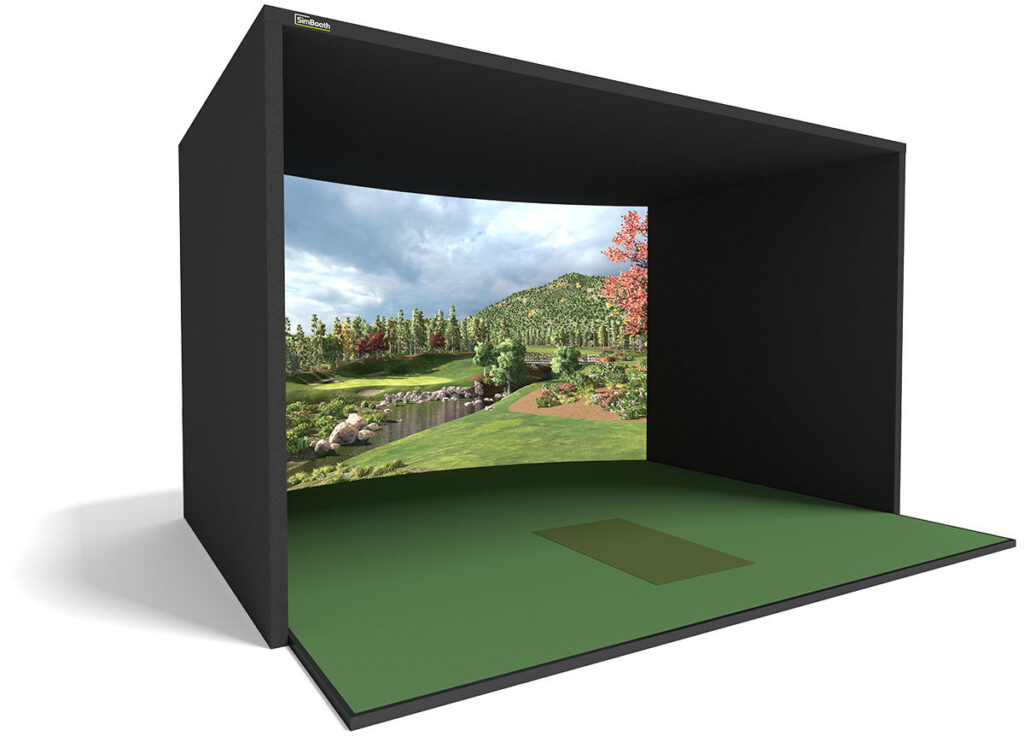
SimBooth 4 is the booth for entertainment venues, golf clubs and high-end bars. The curved 218-inch screen wraps the golfer, and the size, panel colours and floor border can all be customised to fit your venue and your brand. Each one is built to your chosen size and finish, and our team installs it for permanent use. It looks premium, which suits venues that charge by the hour.
SimBooth 3 for coaching studios and multi-bay centres
SimBooth 3 gives a 196-inch screen in a smaller footprint than SimBooth 4. It’s a good fit for a coaching studio or a row of identical bays, and our team installs it too.
SimBooth 2 for clubs that need the space back
Golf courses and country clubs often need their function room in summer. SimBooth 2 was built for frequent setup and takedown. Two people can put it up in about 2 to 3 hours in autumn and take it down again for wedding season.
Overhead launch monitors and ball and club data for coaching
The IDRA II launch monitor mounts overhead, so nothing sits on the floor of a busy bay. Overhead launch monitors also keep the camera out of reach of customers in a bar. Dual high-speed cameras track every golf ball and club, capturing ball speed, launch angle, direction and spin with clubhead data, across full swing, short game and putting, and the 36″ x 28″ hitting zone is generous enough for a lesson. It works with GSPro and E6 Connect simulator software and carries a two-year warranty.
For coaches and teaching studios, the club data is the product you’re selling, and accurate numbers on every shot are what keep students booking lessons. You can run lessons where the student sees what the club did and where the ball flight went on the same screen. The same data suits club fitting, so one bay can earn from lessons and fittings.
Projectors for bright indoor golf venues
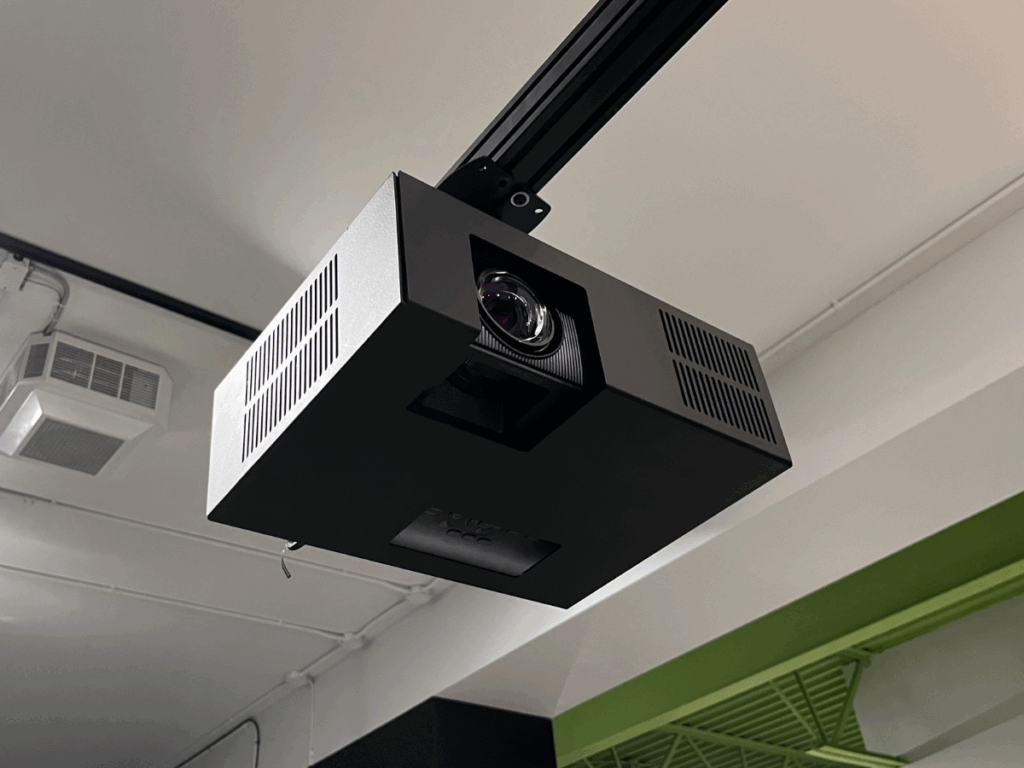
Bars and venues have lights on, so brightness matters more than at home. The BenQ LK936ST gives 5,100 lumens in 4K with a laser light source rated for up to 20,000 hours, and throws a 200-inch image from 3.6 to 3.9 m away. The rafter version includes the projector mount, power cable and a 35 ft HDMI cable. If you choose the AH30ST or AK700ST instead, our steel projector enclosure is made to fit them and protects them from stray balls.
Simulator software for commercial facilities
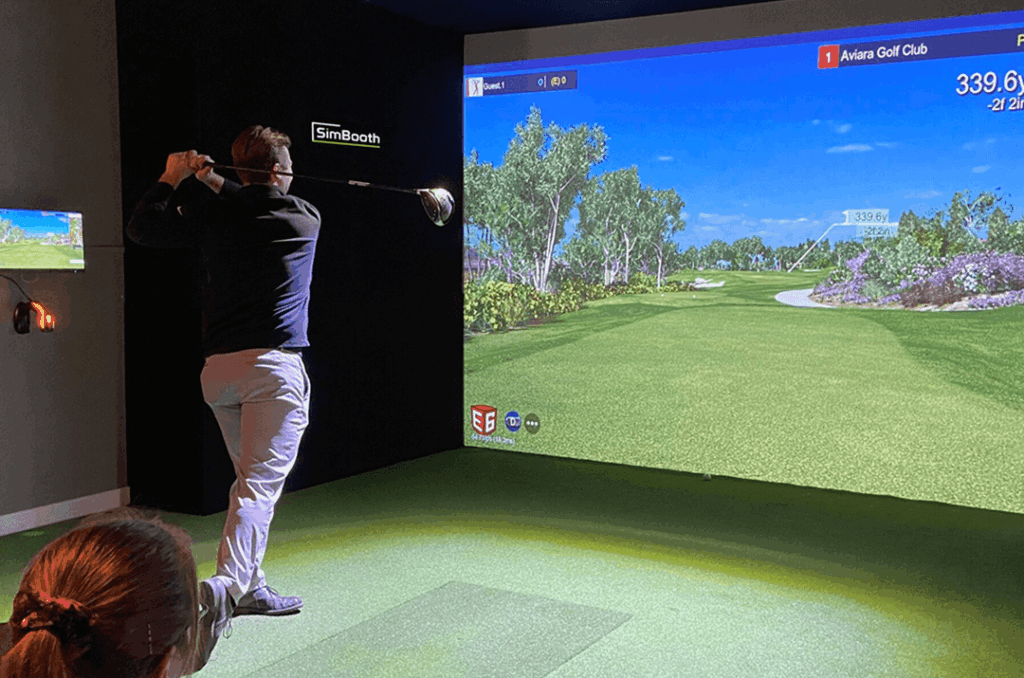
The IDRA II works with GSPro and E6 Connect, which cover course play, a practice range and games for groups. Virtual golf on a full course is what most bar and venue customers book, while coaches tend to live on the range and in the data screens. Commercial use of simulator software is licensed by the software publisher, so confirm the terms for each bay in a paying venue before you open.
How an indoor golf business earns from multiple bays
Most golf facilities mix several kinds of income from the same bays, and the booth you choose should suit the mix you plan.
- Hourly bay rental for groups and corporate events, which suits a bar or entertainment venue with a big, bright screen.
- Lessons and coaching, where the shot data does the teaching.
- A membership that gives regular golfers off-peak practice time through the winter.
- League nights in the winter months, which fill quiet evenings.
- Club fitting for a golf course or pro shop.
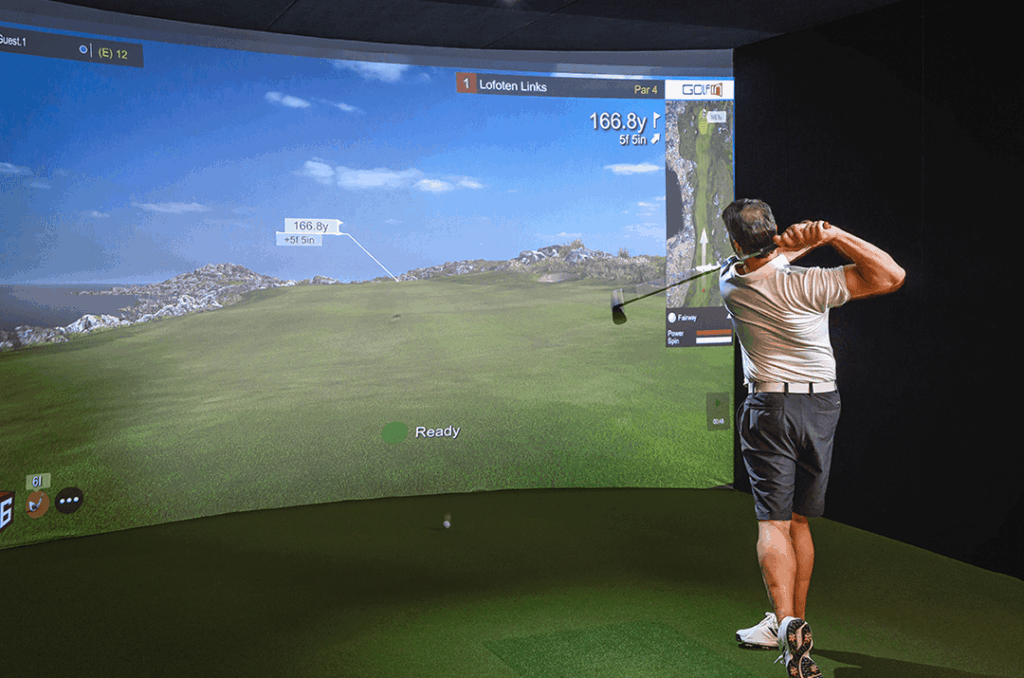
A full enclosure with a crease-free impact screen matters for all of these, because paying customers notice a sagging screen or a ball that bounces back. Every SimBooth uses solid panels, a crease-free screen and a full surface floor, so the bay looks as good as the data.
Planning a commercial golf simulator project
- Measure each bay. Commercial booths need 19 ft of depth and up to 10’7″ of ceiling. The room dimensions guide has the full figures.
- Decide how many bays and which booth. Matching booths look better and make booking simpler.
- Choose the tech. One tracker, projector and PC per bay, or a simulator package that puts them in one order.
- Book installation. Our team installs SimBooth 3 and 4. See our installation guide for how delivery and setup work.
- Get a quote. We price multi-bay and custom-size projects individually.
We deliver to commercial facilities across Canada, the US and overseas. Our team handles the full installation of every SimBooth 3 and SimBooth 4, so indoor golf facilities open with each bay fitted, calibrated and ready to book.
Frequently asked questions
How much does a commercial golf simulator cost?
A commercial booth on its own is CA$13,995 for a SimBooth 3 or CA$19,995 for a SimBooth 4. Add a launch monitor, projector and PC for each bay. Ask us for a quote for a full project, especially for several bays or custom sizes.
What is the best golf simulator for commercial use?
A strong booth with accurate overhead tracking. For most indoor centres and bars, that means a SimBooth 4 or SimBooth 3 with an IDRA II overhead launch monitor and a bright 4K laser projector such as the BenQ LK936ST. Installation by our team makes it a permanent fixture.
Is a golf simulator business profitable?
It can be, and it comes down to how many hours each bay is booked. Venues that mix bay rental, lessons, memberships and winter leagues keep bays busy through the week. A durable booth and accurate launch monitor keep customers coming back, which matters more than the purchase price over the years.
What do I need when starting a golf simulator business?
For each bay you need a commercial booth with an impact screen, an overhead launch monitor, a bright projector, a PC and simulator software. Add the room to fit them, a booking system and the software licence for commercial use. We can quote the hardware for every bay.
Can I customise a commercial golf simulator booth?
Yes. SimBooth 4 can be built to a custom size with your choice of panel colours and floor border. We also offer custom sizes for screens, so send us your space and we’ll quote it.
Can you use GSPro in a commercial golf facility?
The IDRA II works with GSPro and E6 Connect. Commercial use of simulator software is licensed by the software publisher, so check the licence terms for a paying venue before you open.
Planning a coaching studio, indoor golf centre or bar? Tell us about your space and we’ll put together a quote.